1. Assign grocery money
Simple. Private. Affordable.
Manual envelope budgeting in your browser. Plan your spending, build your savings, and see what's left.
You enter balances and purchases yourself. No bank sync, no ads, no selling your financial data.
No card or payment details required. Then $20 USD/year. No automatic charge.
New here? Follow your first budget, step by step →
The real app, up close
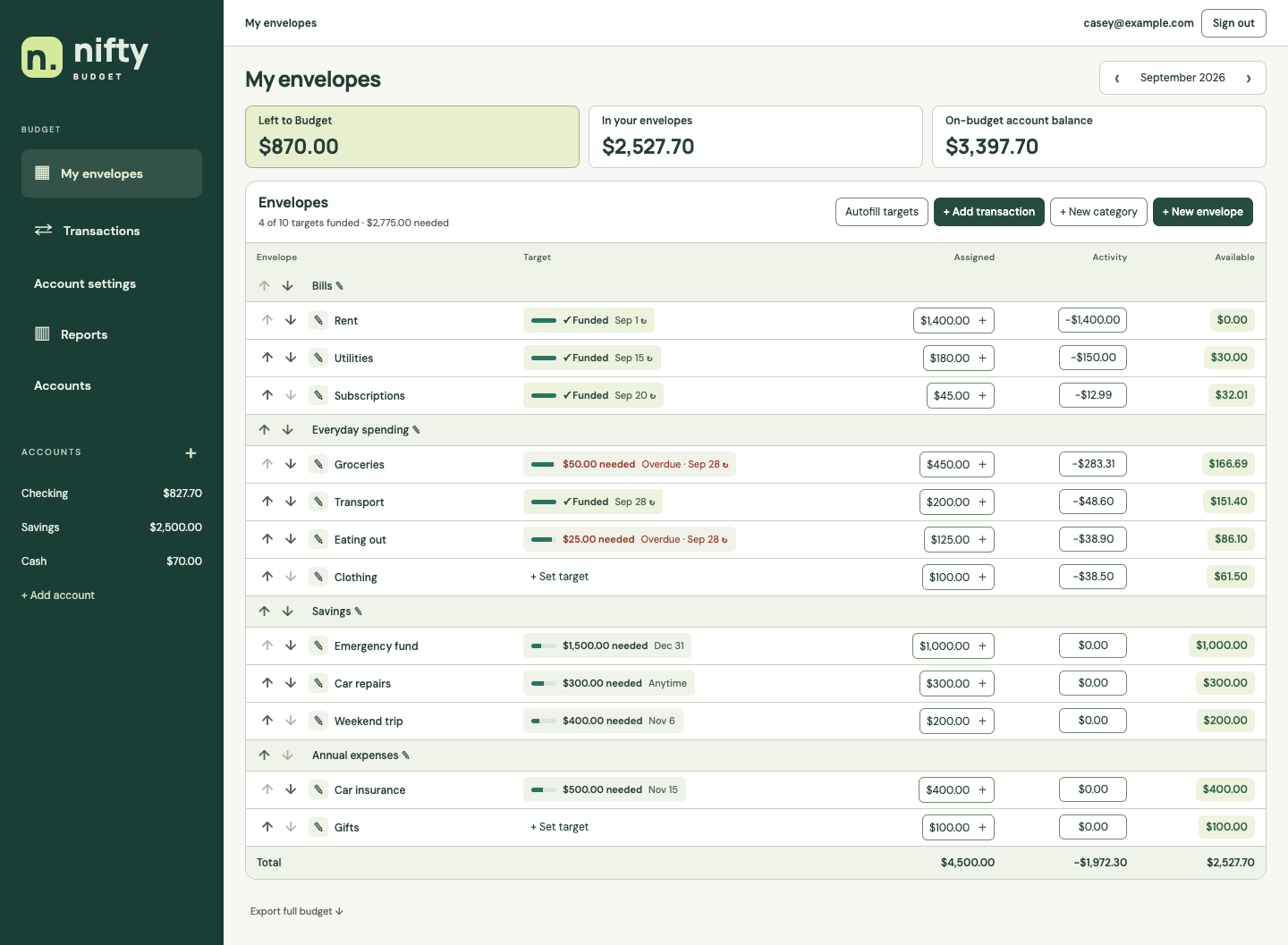
Real screenshots with fictional sample data. These close-ups show one existing budget: $450 assigned to Groceries, $283.31 spent from cash accounts, and $166.69 available.
Try the simpler $500 first-budget walkthrough →
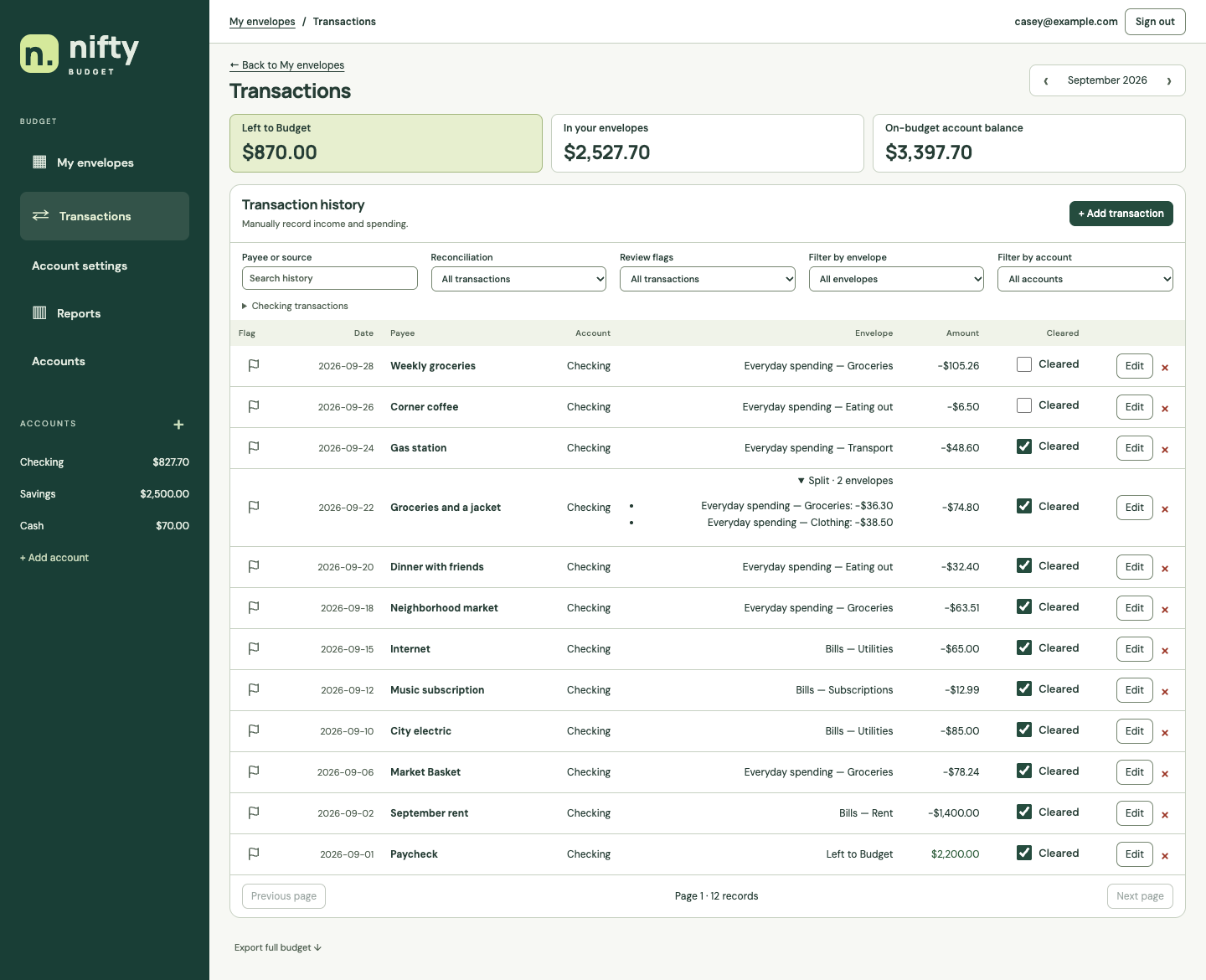
See the full sample screenshots ↓Screenshots use a sample budget.
Give your money a purpose with envelopes for everyday life.
No bank connections. No ads. No selling your financial data.
$20 a year. Shared-budget access included. No paid add-ons.
Learn with Nifty
Enter a $500 checking balance, assign $50 to Groceries, and record a $10 purchase. Follow each real control in your browser.
Read the first-budget walkthrough →Learn how payment reserves and card overspending work. Purchase refunds to credit cards are not supported yet.
Read the credit-card walkthrough →The envelope method, without the cash
Envelope budgeting gives the money you already have a job: groceries, rent, a weekend away, or whatever comes next. With digital envelopes, you can see what's set aside for each purpose without keeping cash in separate envelopes.
Nifty is a manual budgeting app. Enter your balances, assign your money, and record purchases yourself. Stay involved in your spending without handing over a bank login.
How to start envelope budgetingPrivacy & security
You pay for budgeting software. We don't sell advertising, sell your financial information, or build profiles of your spending for marketing.
Your bank login stays with your bank. You enter balances and transactions yourself.
No ad banners, sponsored offers, or credit card promotions.
We don't sell or rent your financial information, use it for targeted advertising, or use your budget content to train AI models.
Your budget data is encrypted in transit and at rest.
We measure public-site visits and interactions to improve this website. Those analytics don't include your budget content. Internal service reporting uses aggregate counts.
Privacy & security, in plain EnglishRoom for real life
Budget together
Invite your partner or another guest. Make a plan together, with no extra subscription for them.
Create an invitation in Account settings. Your guest follows the link and joins with their own verified email and login.
Choose viewing or editing permissions. Guest access is covered by the owner's active trial or subscription, and the owner can change or revoke it.
Joining through an invitation doesn't start a new personal trial. Start your own budget whenever you're ready. Existing trial and subscription dates stay the same.
Owners can change or revoke guest access. If an owner's trial or paid access expires, their shared budget becomes read-only. Your own subscription status does not affect access to someone else's active shared budget.
Simple pricing
Try Nifty Budget free for 60 days, with no payment details required. Then keep budgeting for $20 a year. Focused tools for planning your money, without paying for bank-sync features you don't need.
$20/ year
Billed when you subscribe, then yearly until canceled.
60 days free. No automatic charge when your trial ends.
Prices in USD. Pay securely with PayPal. Subscribing before your trial ends starts your paid year immediately. Cancel anytime to stop renewal.
Invited guests don't need a separate subscription. If you have no active personal or shared-budget access, a 90-day account-deletion countdown begins. You can view and export available data during that period.
Annual payments include a 30-day full-refund window.
A few things you might be wondering
Use Nifty in your browser now, on a computer or phone. The native iPhone app is currently in internal TestFlight testing; it is not available as a public App Store download.
Recording a purchase keeps you involved with your money. Choose an envelope, enter the amount, and see what's left. Nifty doesn't connect to your bank or automatically import transactions.
Yes. Invite your partner or another guest to a shared budget with their own login. You choose whether they can view or edit. Guest access is included in the budget owner's active trial or subscription.
Your budget data is encrypted in transit and at rest. You can add authenticator-based two-step verification to your account, and you control who you invite to your budget.
There is no automatic charge. Subscribe for $20/year to keep editing your personal budget. If you have no active personal or qualifying shared-budget access, a 90-day account-deletion countdown begins. You can view and export available data during that period; the app shows your deletion date.
Yes. Export your budget as a JSON file from settings. You can also request account deletion there. Backup copies may remain for up to 35 days, and payment references and refund records are retained for billing needs.
Another question? Get in touch.
Simple, fair billing
Request a full refund within 30 days of your initial annual payment or any annual renewal. The 30-day window starts when the payment is made. Submit your request within that window; the review date does not affect your eligibility.
Sign in to Nifty Budget, open Account Settings → Subscription, refresh payment status, and select Request a full refund. We link the request to your payment automatically, even if your PayPal email differs from your Nifty Budget email. Requests are reviewed manually. If you cannot sign in, use the merchant contact details on your PayPal receipt and include the transaction ID.
Approved refunds go through PayPal to the original payment method. Processing time depends on PayPal and your payment provider. After 30 days, annual payments are not refundable under this policy; we do not offer prorated refunds for unused time. This does not affect any refund rights required by applicable law.
Cancel your subscription in Account Settings or PayPal to stop future renewals. Cancellation does not automatically request a refund. Without a refund, you keep access through the end of your paid period. A refund request does not itself cancel renewal; cancel your subscription too if you do not want another annual payment.
After a full refund, editing access from that payment ends. Any remaining free trial still applies, and you can continue viewing and exporting your budget until any scheduled account deletion. Without other qualifying access, your account and personal budget are removed after 90 days. We retain payment references and refund-request records to administer refunds, including after account deletion.